Context and problem
Construction inspection platforms are designed for desktop use and management analytics. They do not cover the inspector's on-site workflow: no offline mode, no quick issue recording and no reliable way to confirm attendance.
The task was to design a mobile app for inspectors: offline use, presence verification and quick issue recording directly on site.
A freelance project, working alongside a development team.
Benchmarking
I reviewed Russian construction inspection platforms — TSUS (tsus.ru) and CKS.dom.rf — as well as international alternatives. All focus on desktop use and analytics for managers.
Takeaway: the market covers data collection, but not the mobile workflow of an inspector on site.
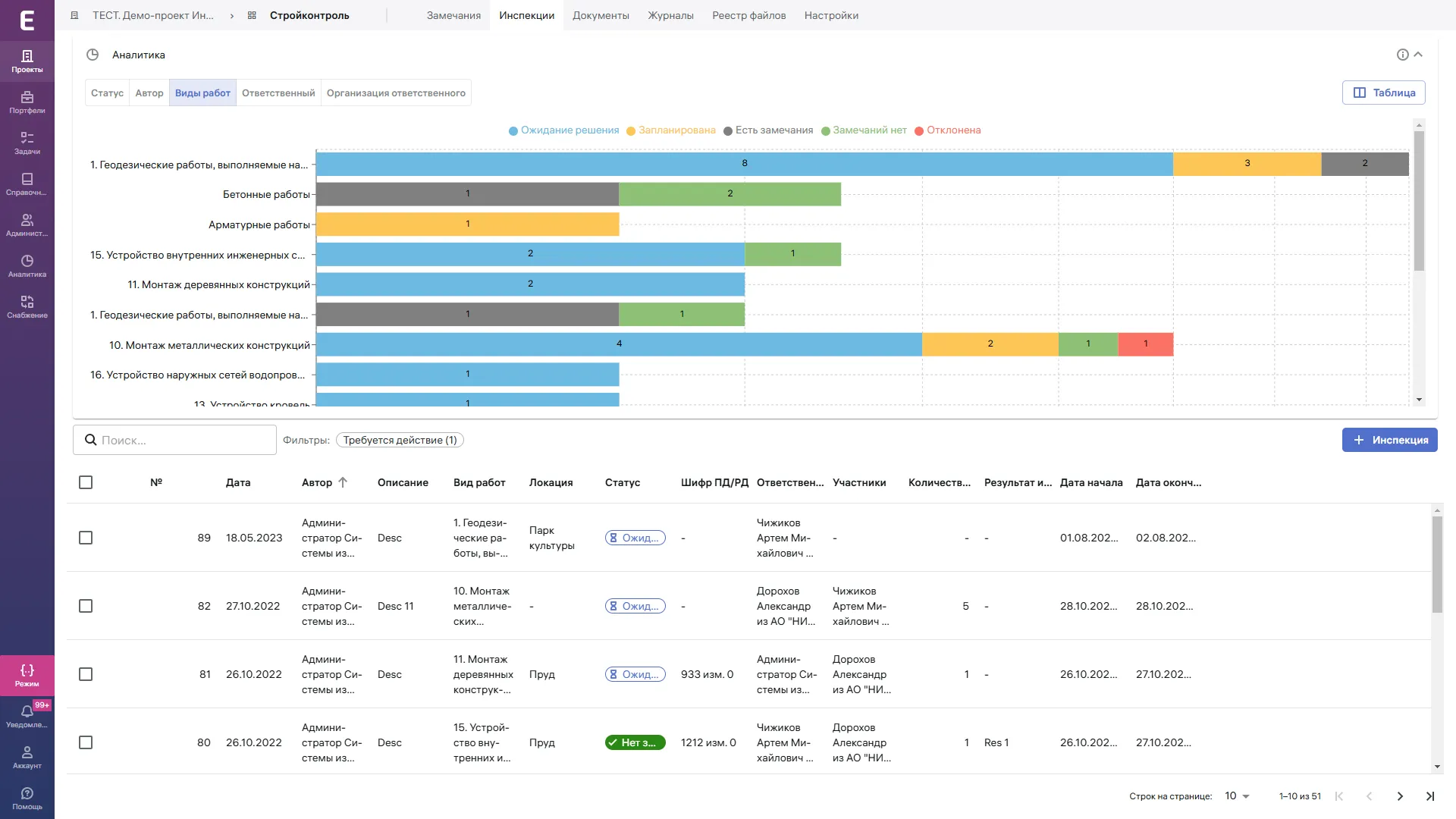
Inspections and analytics — a desktop tool
An inspection register without a mobile workflow: a table with filters, issue charts and statuses. It offers useful analytics for managers, but inspectors still take notebook notes on site and transfer them manually after the visit.
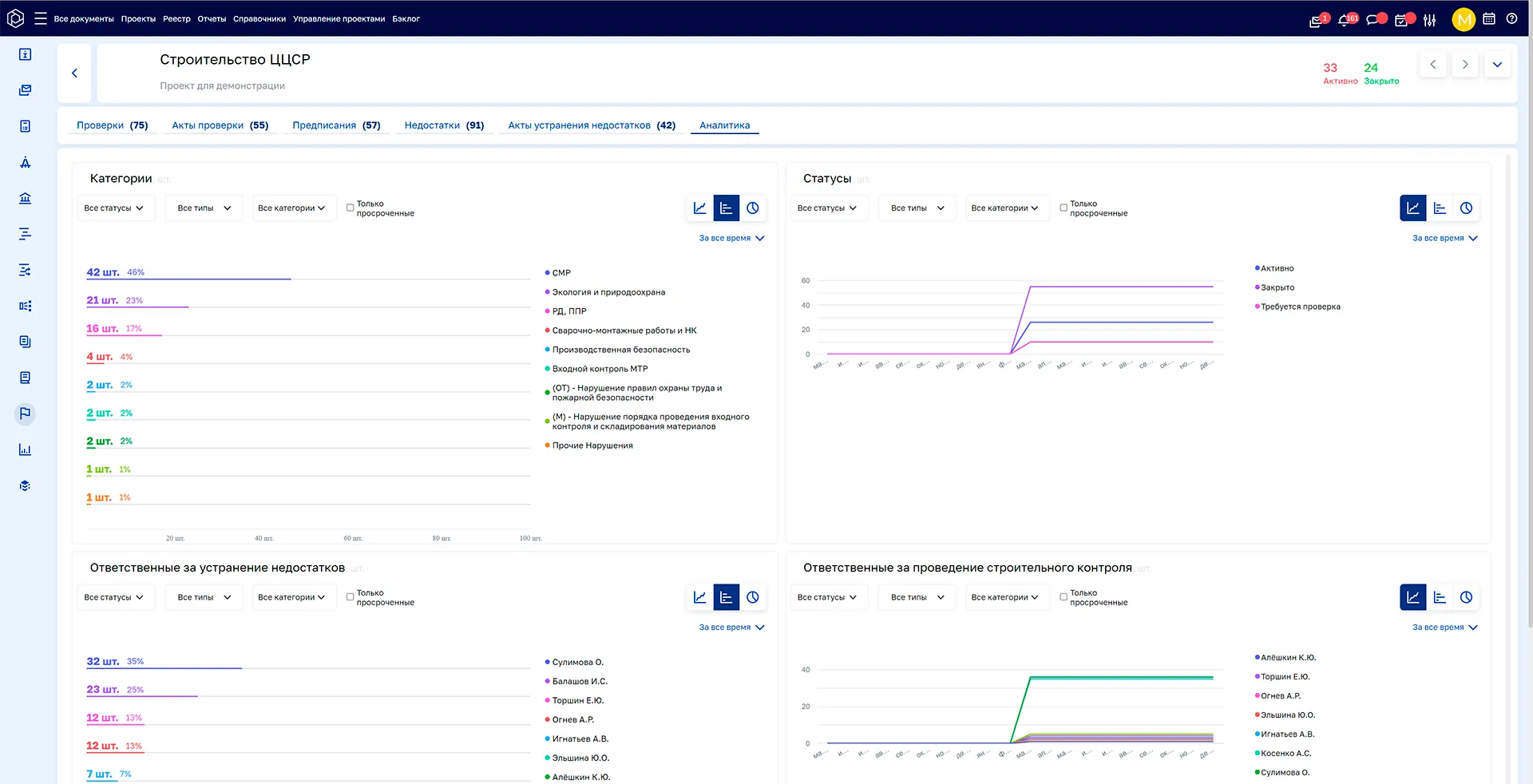
Issue analytics — TSUS (tsus.ru)
Detailed reports by issue type, trends across sites and period summaries. The platform serves managers: contractor oversight and an overall view. For inspectors on site, it offers only a web interface, without offline use or quick issue entry.
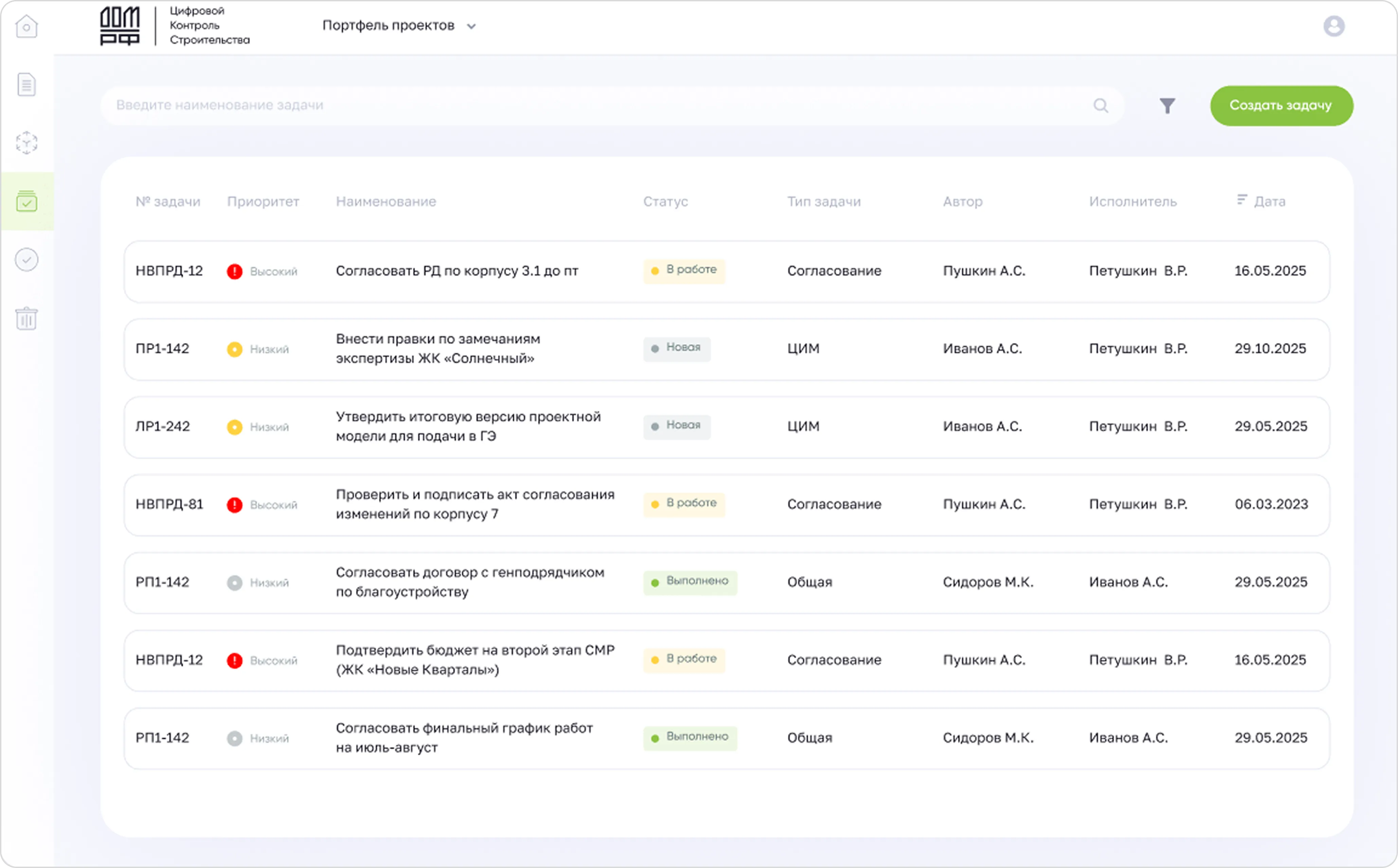
Task management — CKS.dom.rf
A task tracker for construction projects: assignees, deadlines and task statuses. Integration with DOM.RF adds housing project data. A mobile app is available, but focuses on management rather than site inspection and issue recording.
Hypotheses
Hypothesis 1
Inspectors lose time writing reports after a visit and transferring notebook notes into the system, rather than recording issues on site.
Hypothesis 2
Verifying attendance is the biggest pain point: a signature in a paper log can easily be disputed, and there is no digital mechanism.
Hypothesis 3
Inspectors avoid mobile tools on site because they require an internet connection, not because the interface is complex.
Hypothesis 4
Inspectors need issue analytics in the app itself: categories, trends and summaries.
Hypothesis 5
Photos are the main way to document issues; text descriptions are secondary.
I developed five hypotheses from competitor analysis and inspector interviews. Three were supported and informed the design decisions.
Metrics
0
paper logs on site
≤ 3
steps to record an issue
100%
of attendance confirmations use BLE/GPS
offline
operation without an internet connection on site
Targets were defined during design; measurements are planned after the pilot.
Research
4 interviews with construction inspectors working on public and commercial projects. Questions focused on real visits: how they record issues, handle paper logs and confirm their attendance to contractors.
Sample questions
- Describe your last site visit: how did you record issues, and what did you do with them afterwards?
- Has a contractor ever disputed your visit or inspection findings? How did you resolve it?
- How does the construction inspection log work today: who fills it in, when and in what format?
- Do you have an internet connection on site? Which tools do you use during an inspection?
- What would you do if you needed to record an issue urgently before the contractor corrected it?
Designs
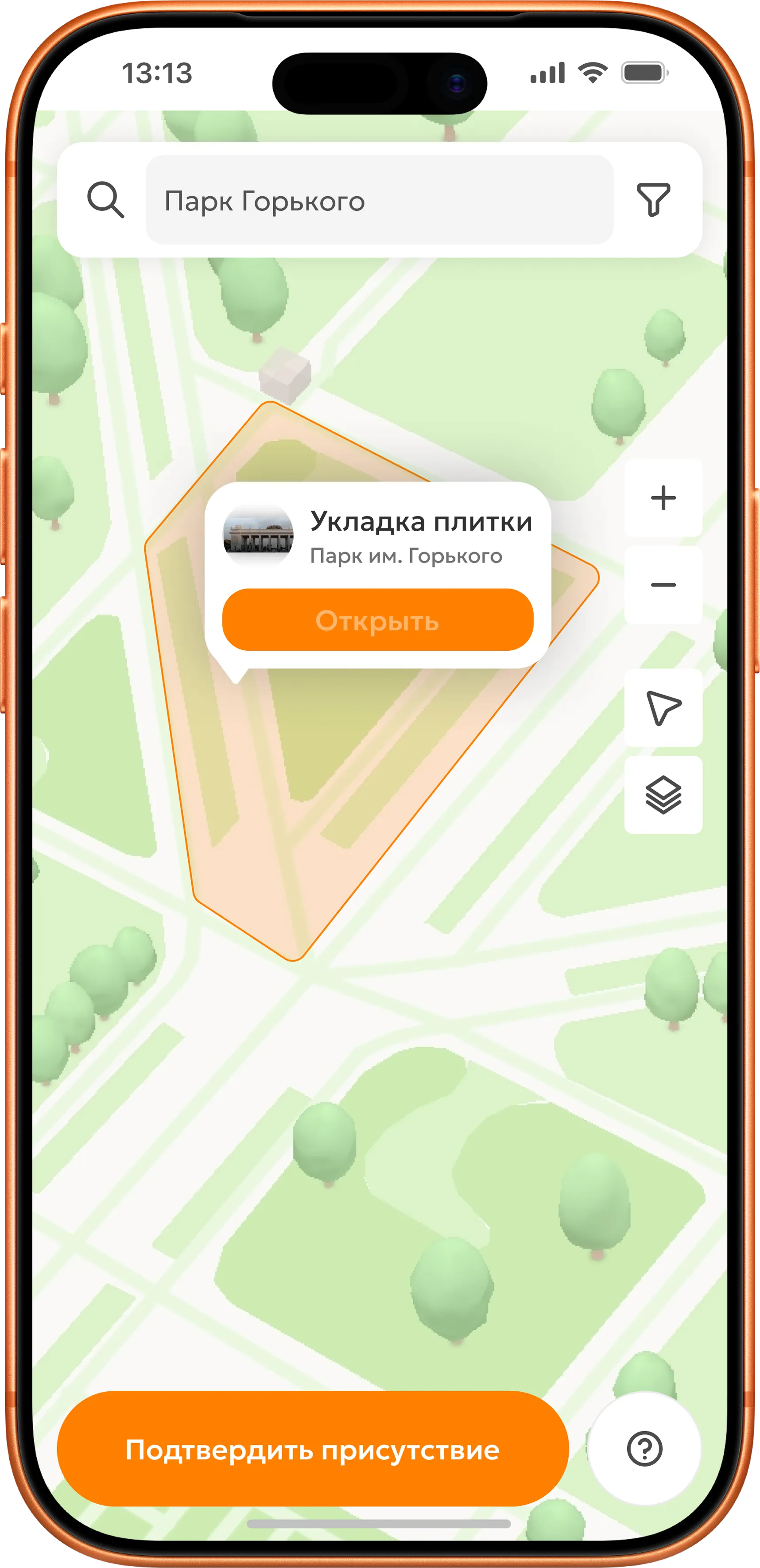
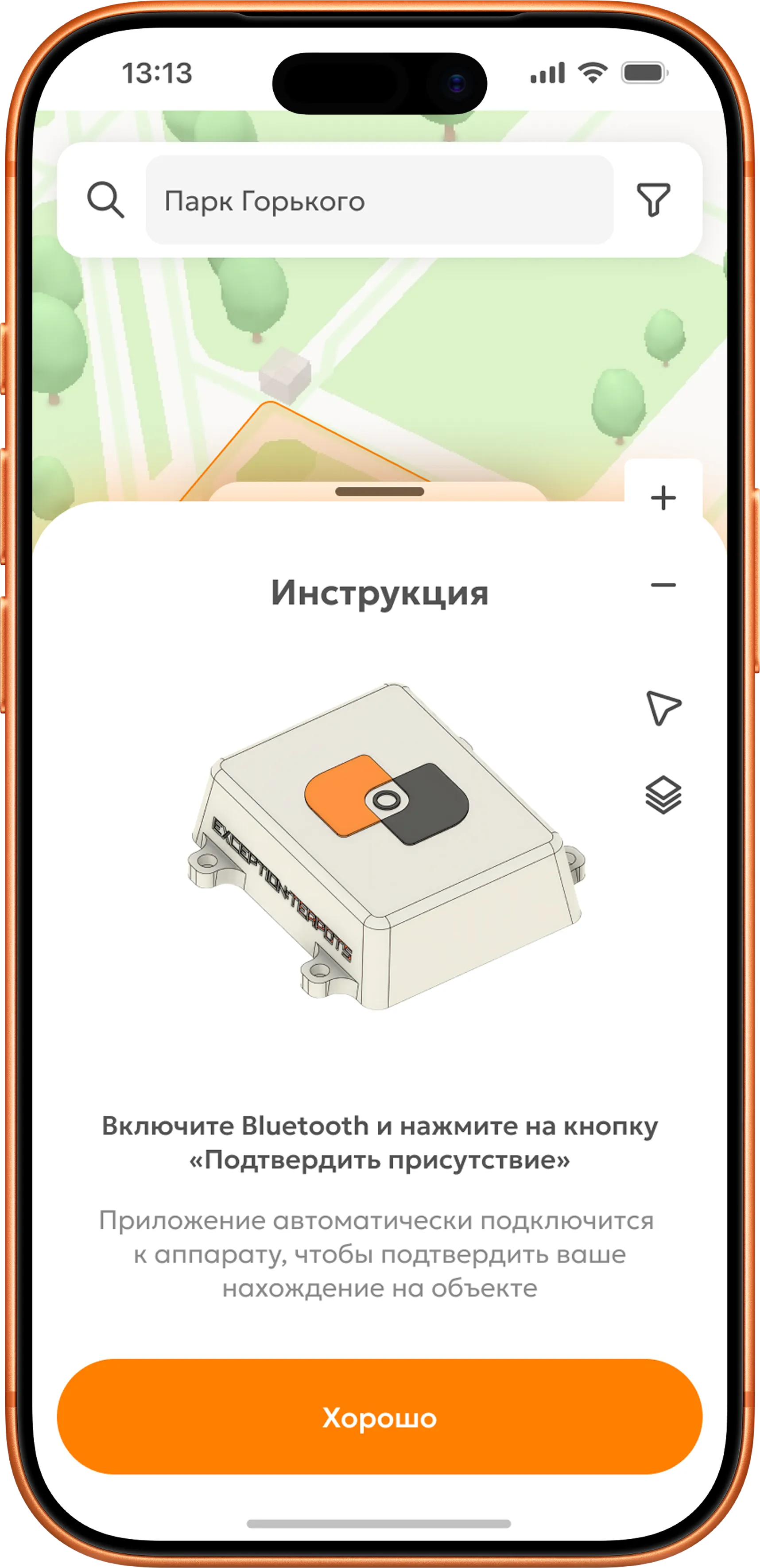
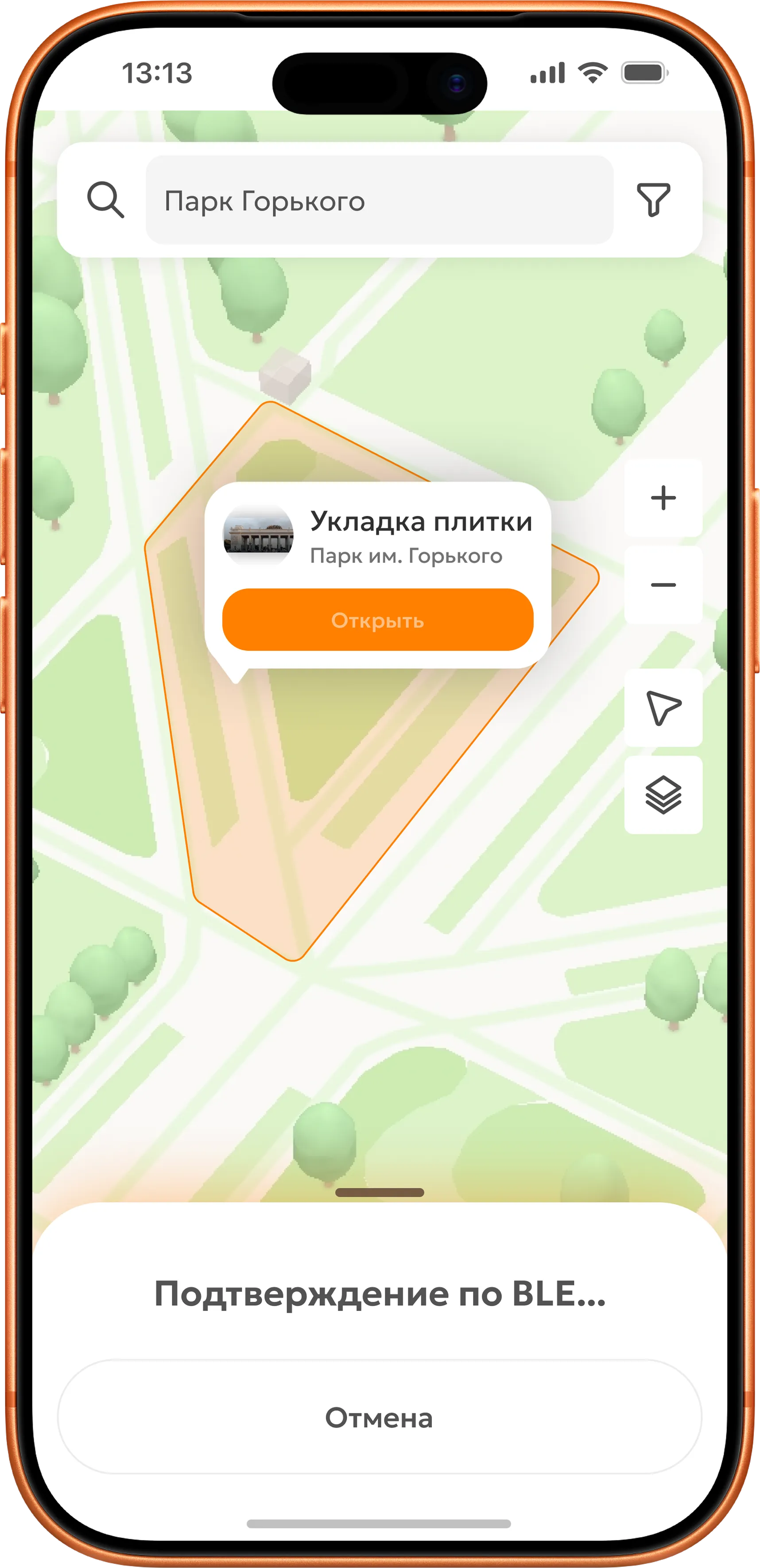
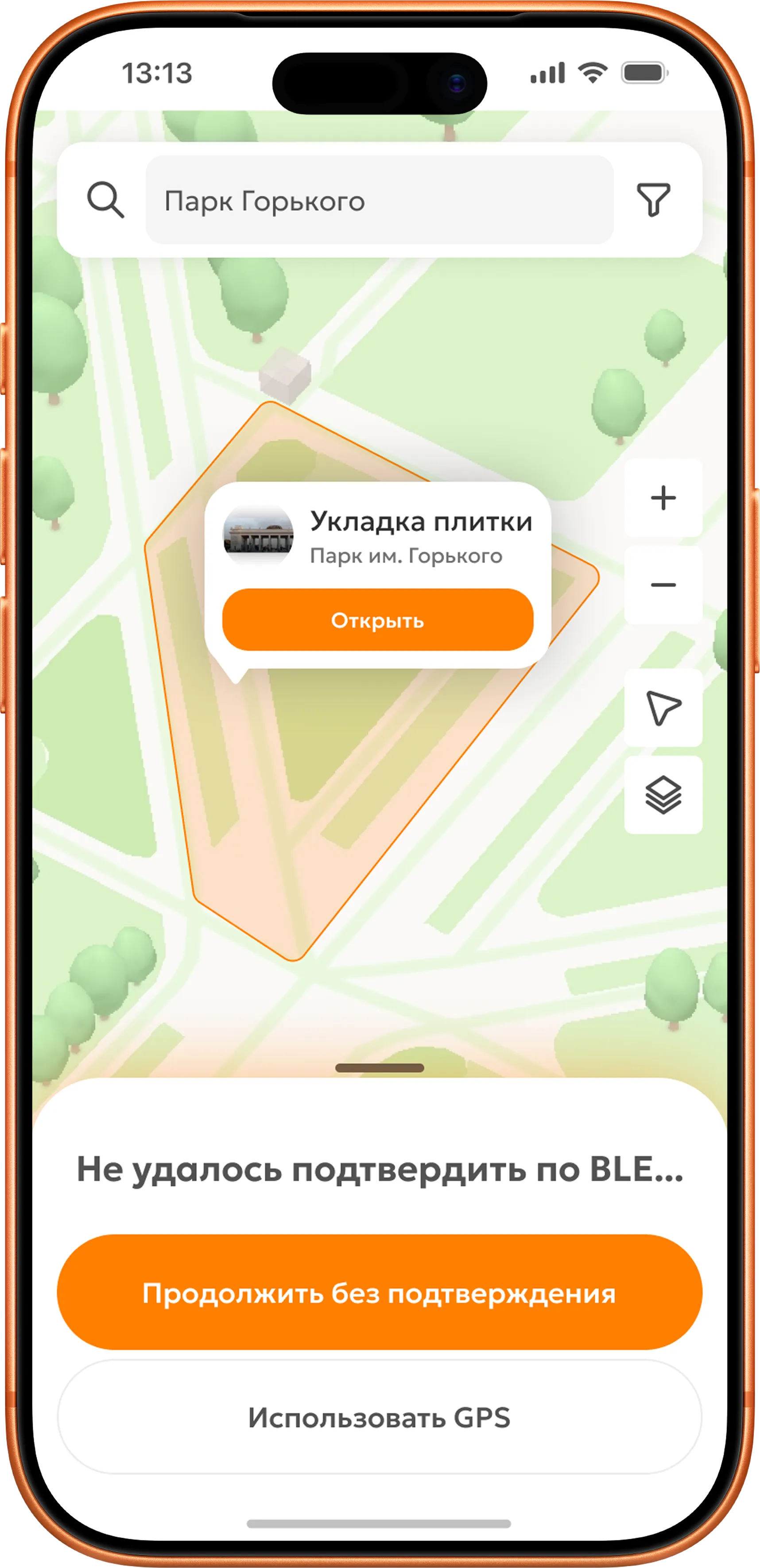
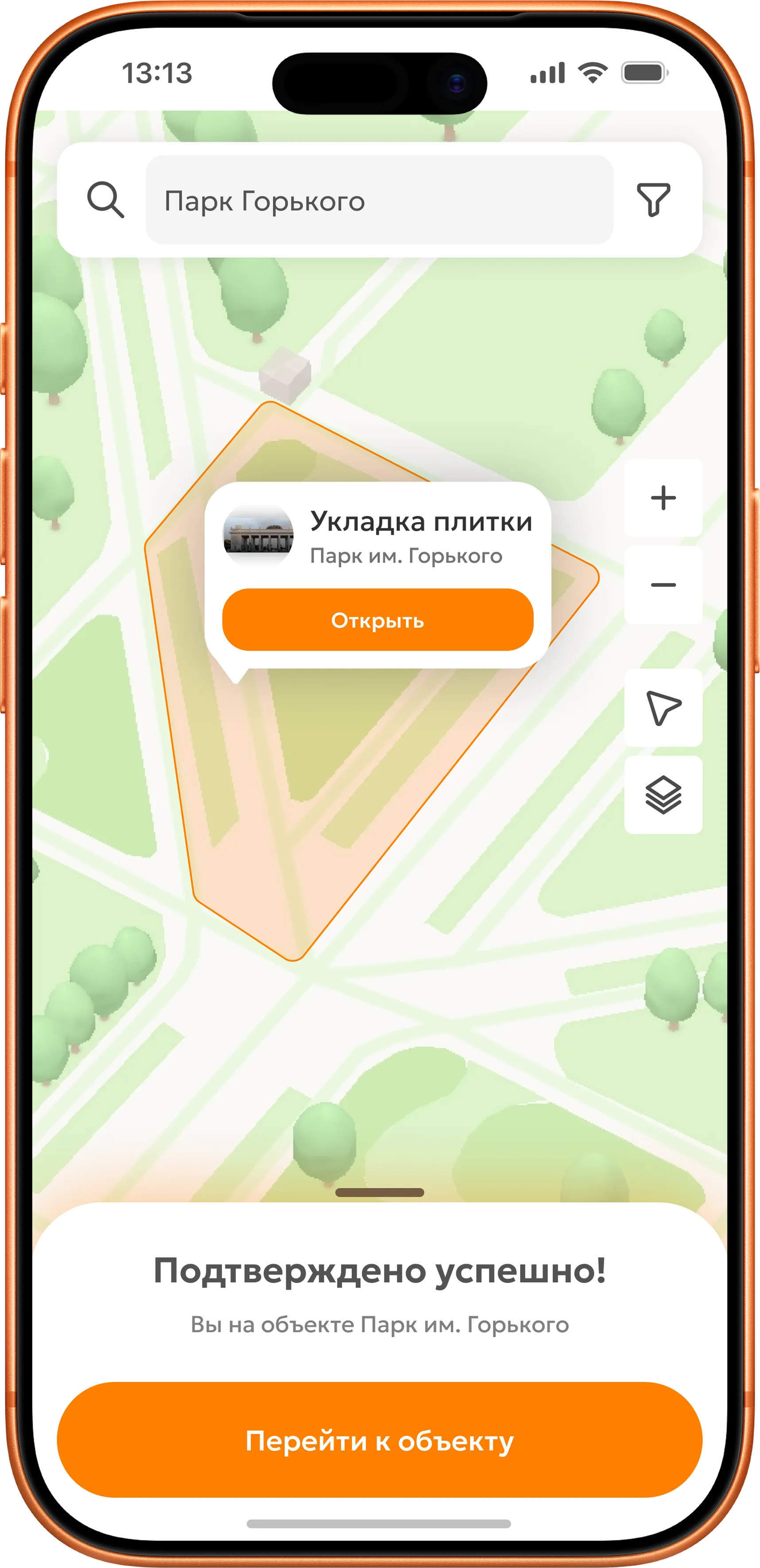
Presence verification
Contractors can dispute an inspector's visit; a paper signature offers no protection. A BLE beacon handles verification with one tap: the app identifies the site automatically, and the inspector taps the button. If the beacon is unavailable, GPS provides a fallback. Verification is protected by a digital signature and timestamp, making it impossible to dispute.
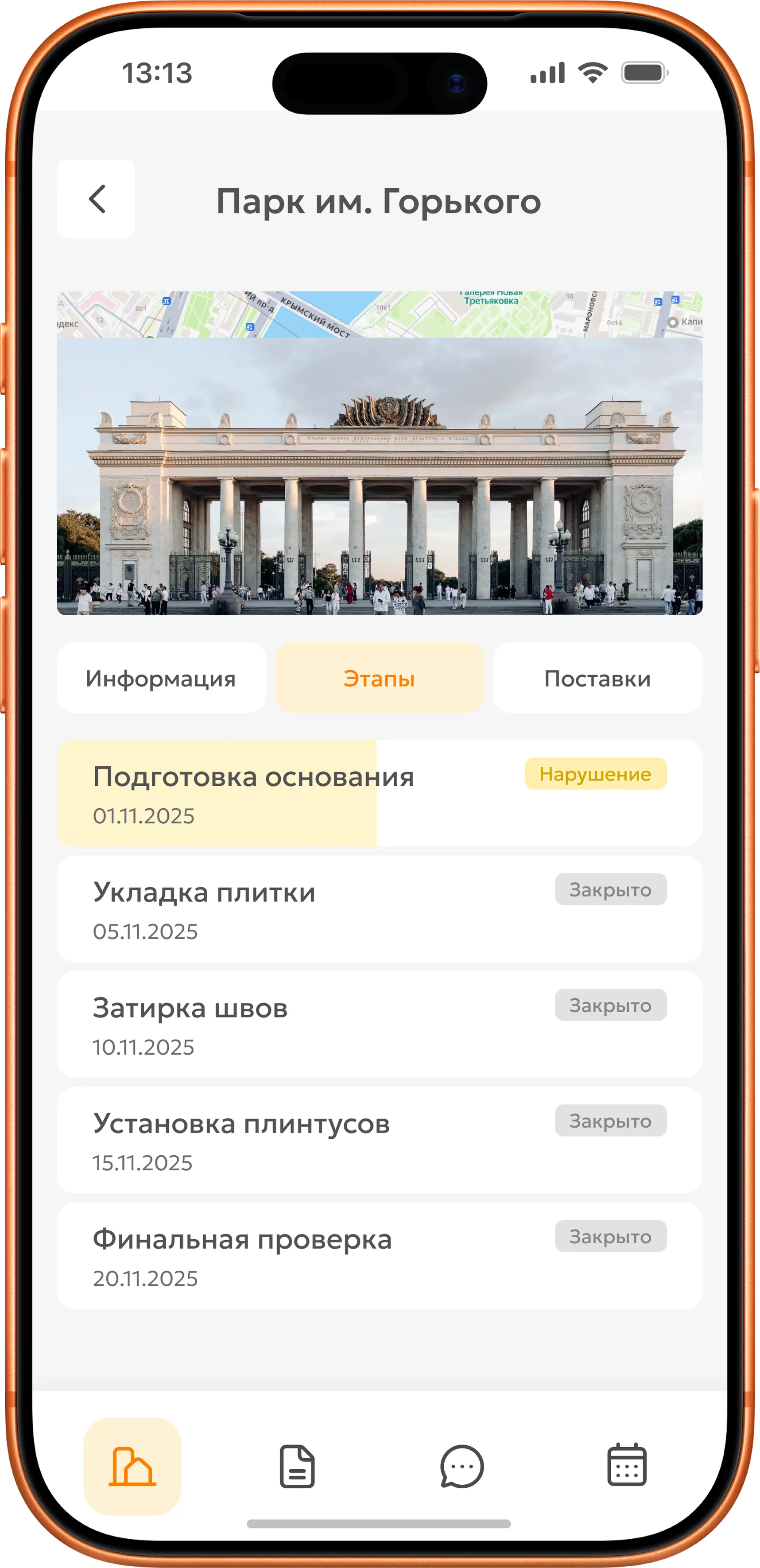
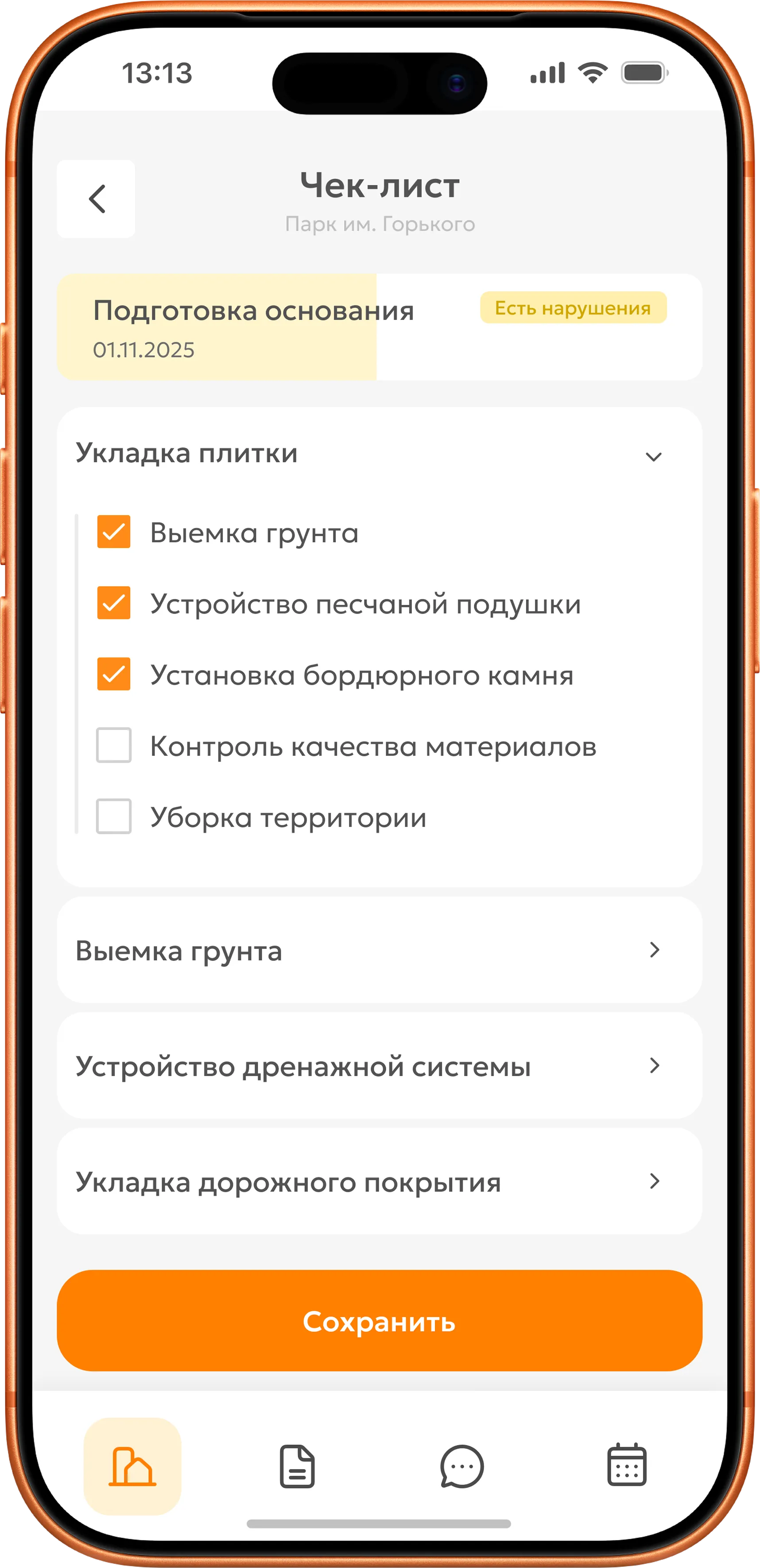
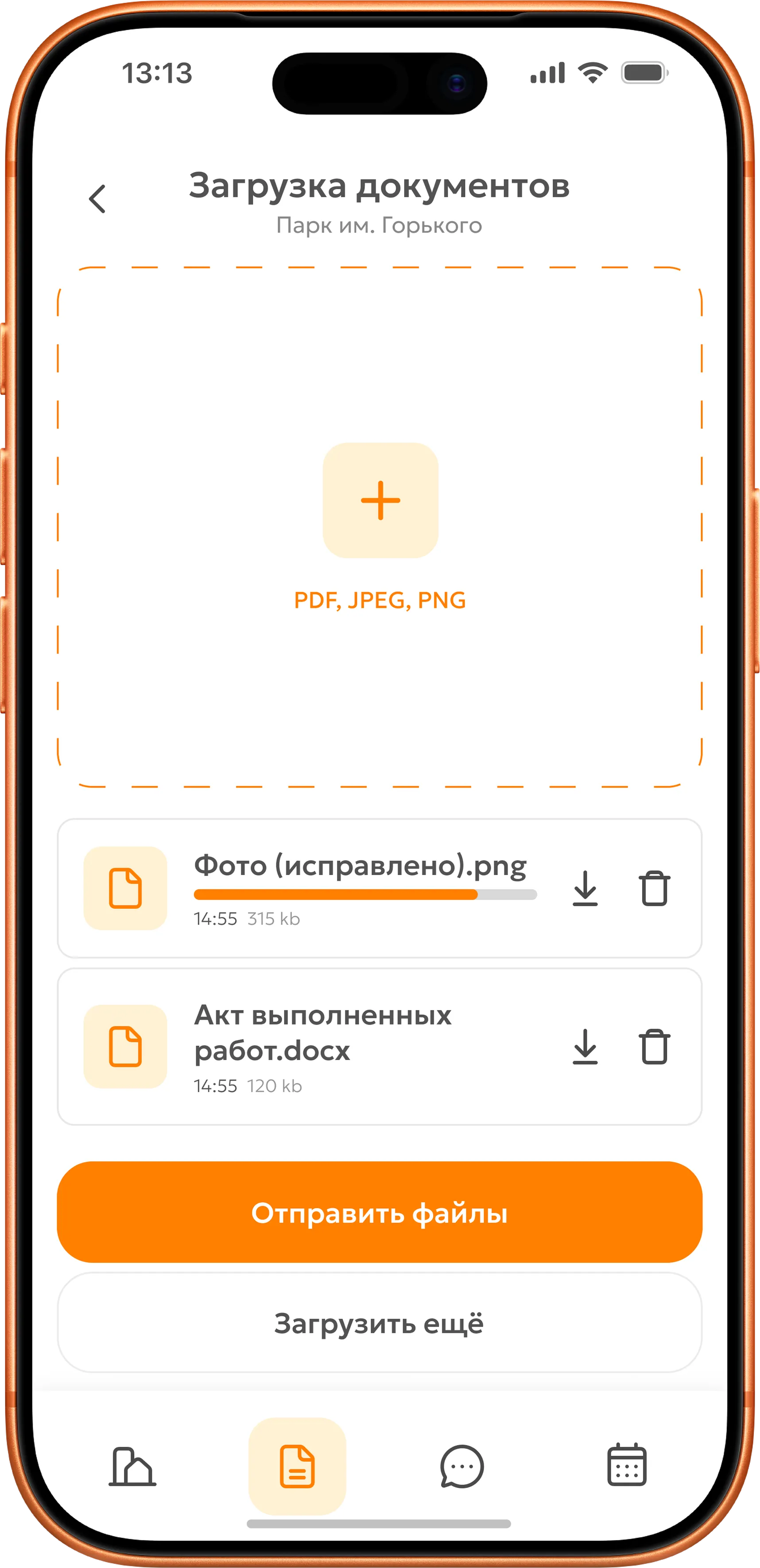
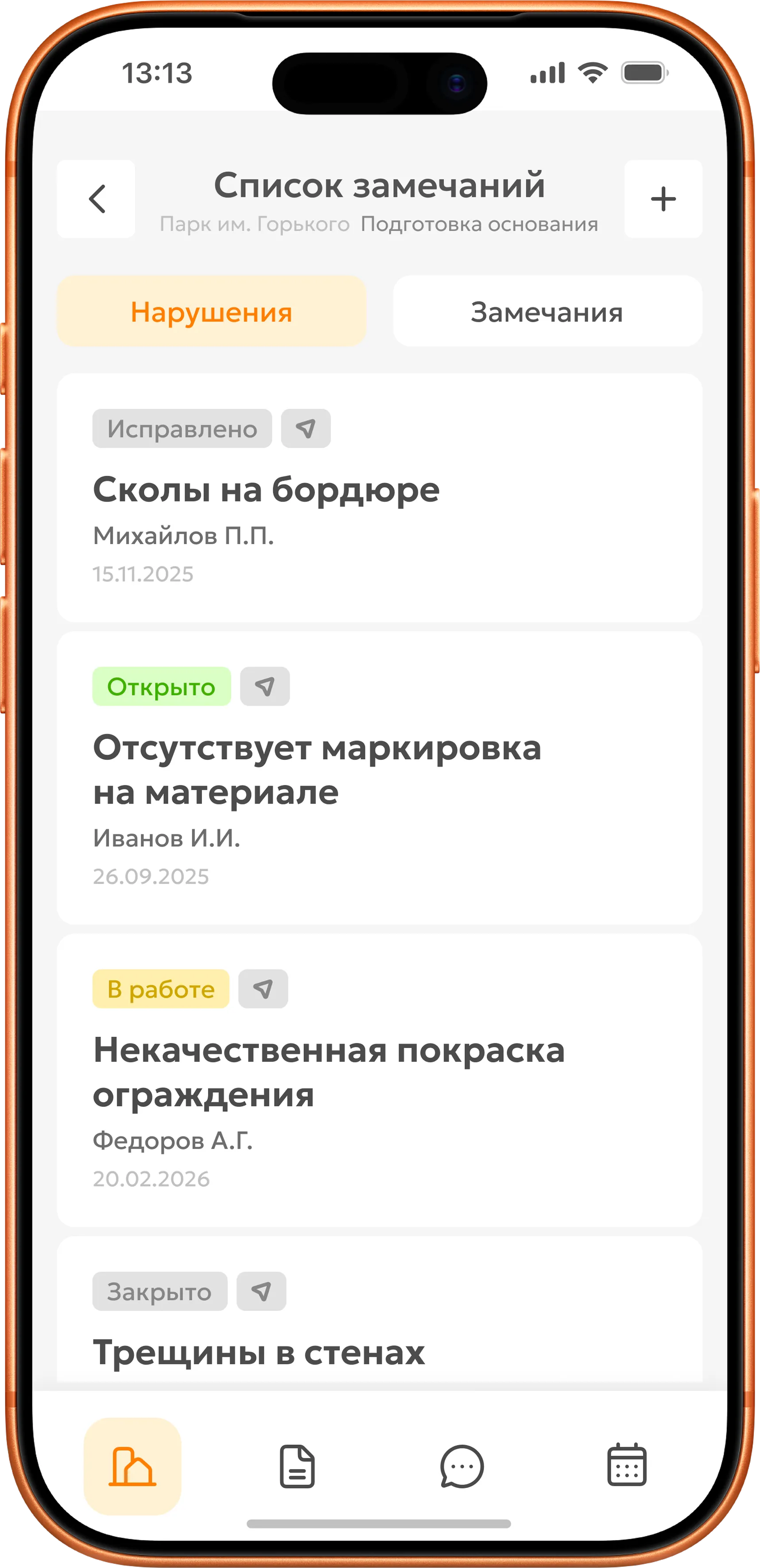
Recording an issue at a work stage
Inspectors lose time transferring notebook notes into the system after a visit, not recording the issues themselves. An on-site checklist with photos and completion certificates removes duplicate entry. An issue is recorded in three steps and immediately added to the register with a category and correction deadline. Photos and text are equally important, so both are required in the issue card.
Usability testing
2 rounds of prototype testing with practicing inspectors. The scenarios covered attendance verification and issue recording using a checklist.
Changes made: I moved the verification button to the map, where inspectors expected it, rather than the site details screen. I removed one checklist nesting level and grouped items by work type. Document uploads became part of the issue card, removing a separate screen.
Outcome
I handed the prototype off to development. The workflow is paperless: inspectors record visits and issues directly on site, sending data straight to the system instead of transferring it from a notebook afterwards.
BLE attendance verification takes one tap. Recording an issue takes three steps: choose a checklist item, take a photo and attach the completion certificate. Visits and findings cannot be disputed because everything is linked to location and time.