Context and problem
Nexus and Artifactory solve the problem, but are designed for enterprises: expensive licenses, complex infrastructure and three levels of navigation. This is excessive for a team of 5–10 people. S3 buckets with manually defined naming conventions are the other extreme: no search, versioning or access control.
The task was to design a tool for the middle ground: a single repository with search, versioning and straightforward access control.
A B2B product for small DevOps teams. I am the sole designer at the startup exception:teapots and have been working on the project since May 2026.
Benchmarking
Sonatype Nexus is the main open-source reference in this space. I examined where and why it falls short for a small DevOps team in Russia.
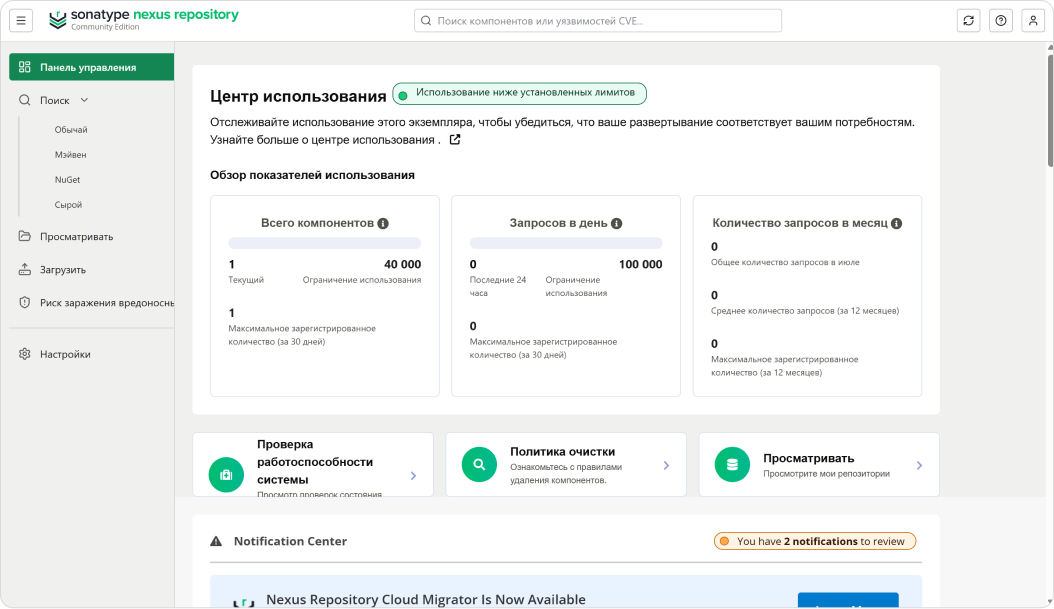
Dashboard
An open-source alternative to Artifactory. The free version has substantial limitations; Pro requires an expensive license and complex infrastructure, making it excessive for a small team.
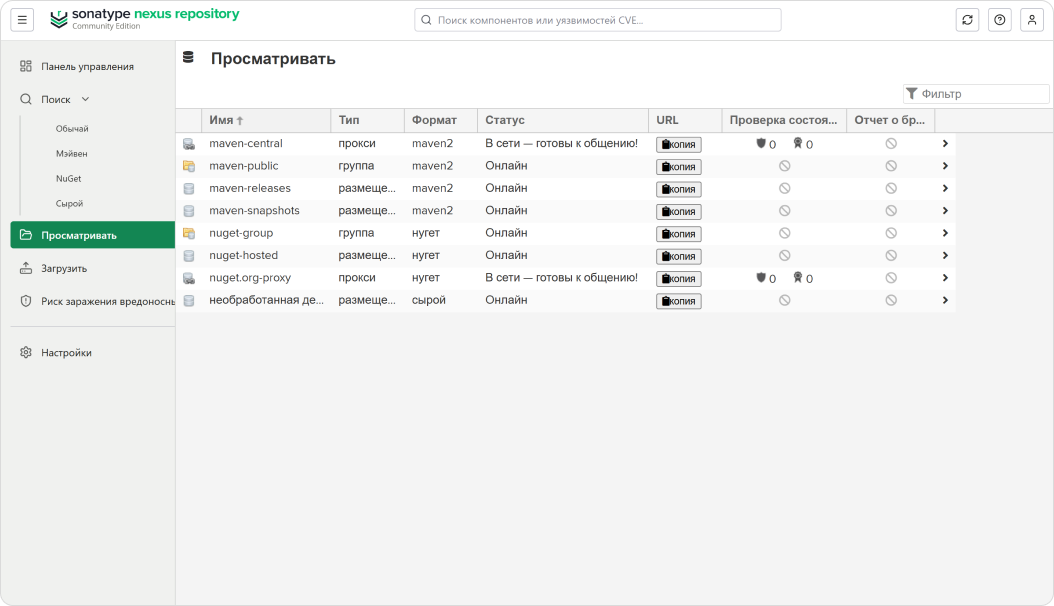
Repository list
The main workspace is a table of all repositories. Columns are truncated and important information is hidden. Developers see storage locations rather than artifacts.
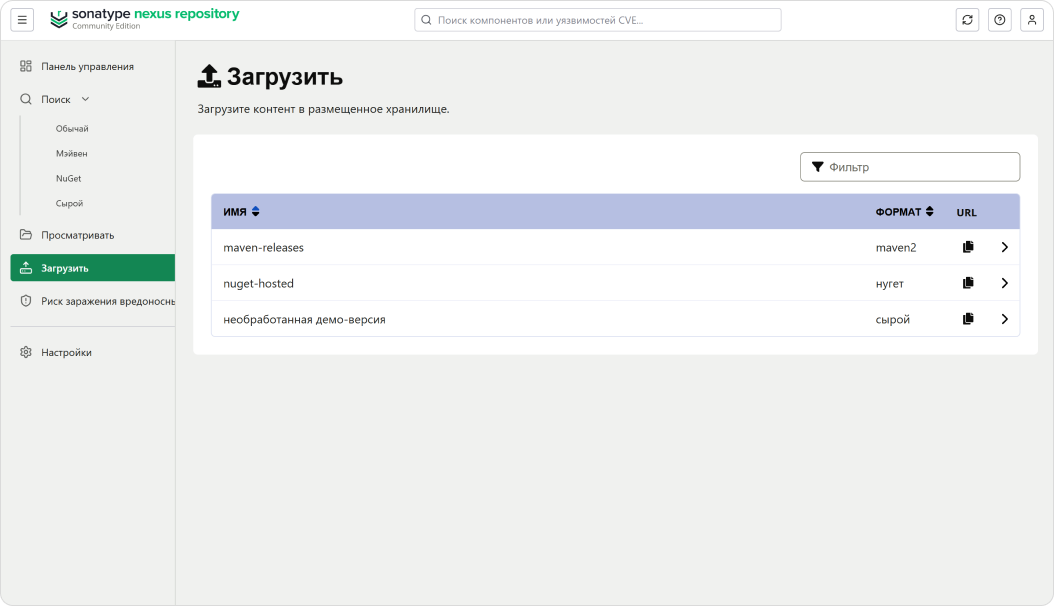
Artifact upload
An upload without context: select a repository, then a format. There is no connection to a build, branch or CI pipeline.
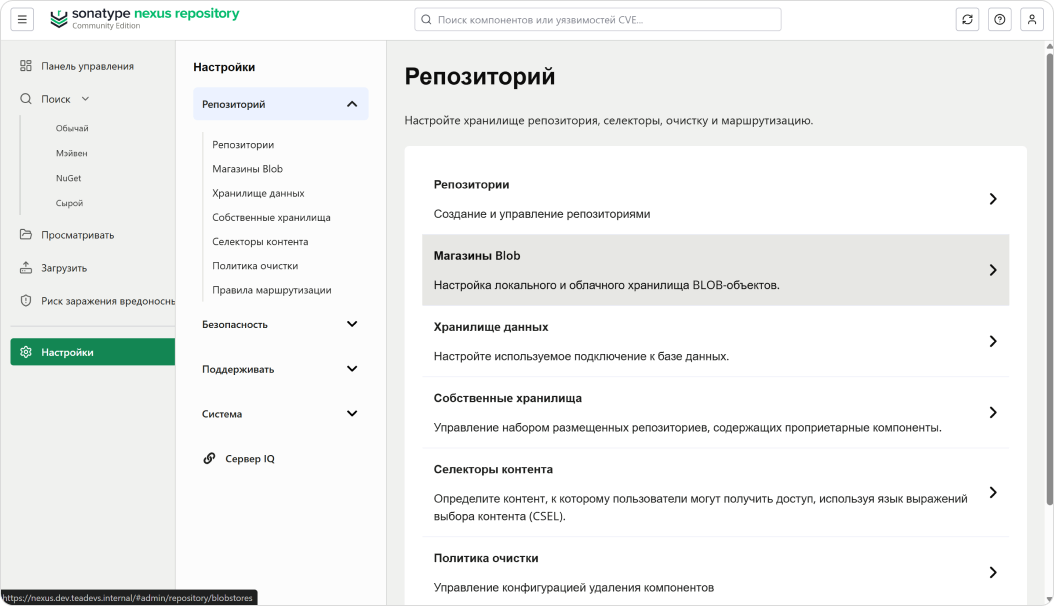
Settings
Three navigation levels: sidebar, accordion and content. Finding a particular setting becomes a task in itself.
Takeaway
Nexus handles storage, but is designed for enterprises: three navigation levels, licensing restrictions and no build context. For a team of 5–10 people, this is excessive and expensive in both features and maintenance. The team needs a tool focused on search and artifacts rather than infrastructure configuration.
Hypotheses
Hypothesis 1
Small teams do not need 80% of Artifactory's features, yet pay for them with their time: configuration, maintenance and updates consume resources comparable to development itself.
Hypothesis 2
The main pain point is finding artifacts, not storing them. Engineers lose time searching S3 buckets with manual naming rules that nobody documents.
Hypothesis 3
Access control is either absent or unnecessarily complex. S3 bucket policies are too coarse, while enterprise RBAC is too complicated. There is no middle ground.
Hypothesis 4
Onboarding a new engineer becomes a detective investigation. Without documentation, every newcomer learns by trial and error.
Metrics
1
storage location instead of several scattered ones
≤ 30 s
to find the required artifact by version or tag
≤ 3
steps to upload an artifact or grant access
15 s
to understand the status of the entire infrastructure from the dashboard
Targets were defined during design; measurements are planned after the pilot.
Interviews and findings
The main method was direct work with the team. Six exteps developers are the target users: they work with artifacts every day and can describe their pain points. I also reviewed public discussions in DevOps communities: Reddit r/devops, Hacker News and GitHub Issues for popular alternatives.
Public discussions confirmed that the same search and versioning problems occur in teams of different sizes, not just at exteps.
- Where do you store your artifacts now? How many different locations do you use at the same time?
Think of the last time you could not find the artifact you needed. How long did you spend searching? - How does a new team member learn where everything is stored and how it is named?
- If you need to give a new team member access to a particular repository, how do you do it today?
- Which artifact tool frustrated you most? What did you do to work around it?
- How do you version artifacts now? Is there a shared convention, or does everyone use their own approach?
Interface and navigation
Dashboard
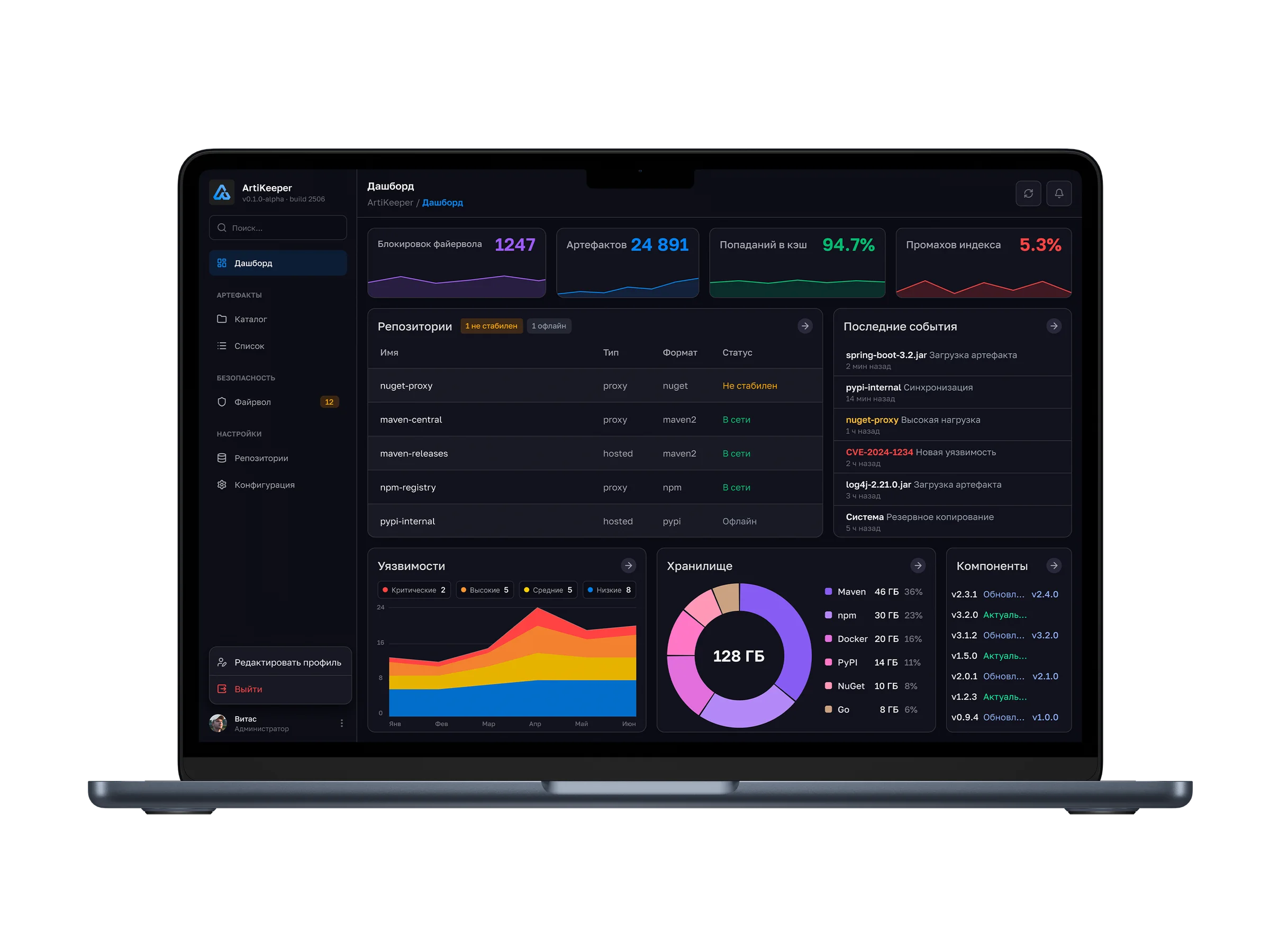
A summary of system health: firewall blocks, artifact count, cache hits and index misses. Below are repository statuses, recent events, vulnerabilities, storage usage and component health.
Repository catalog
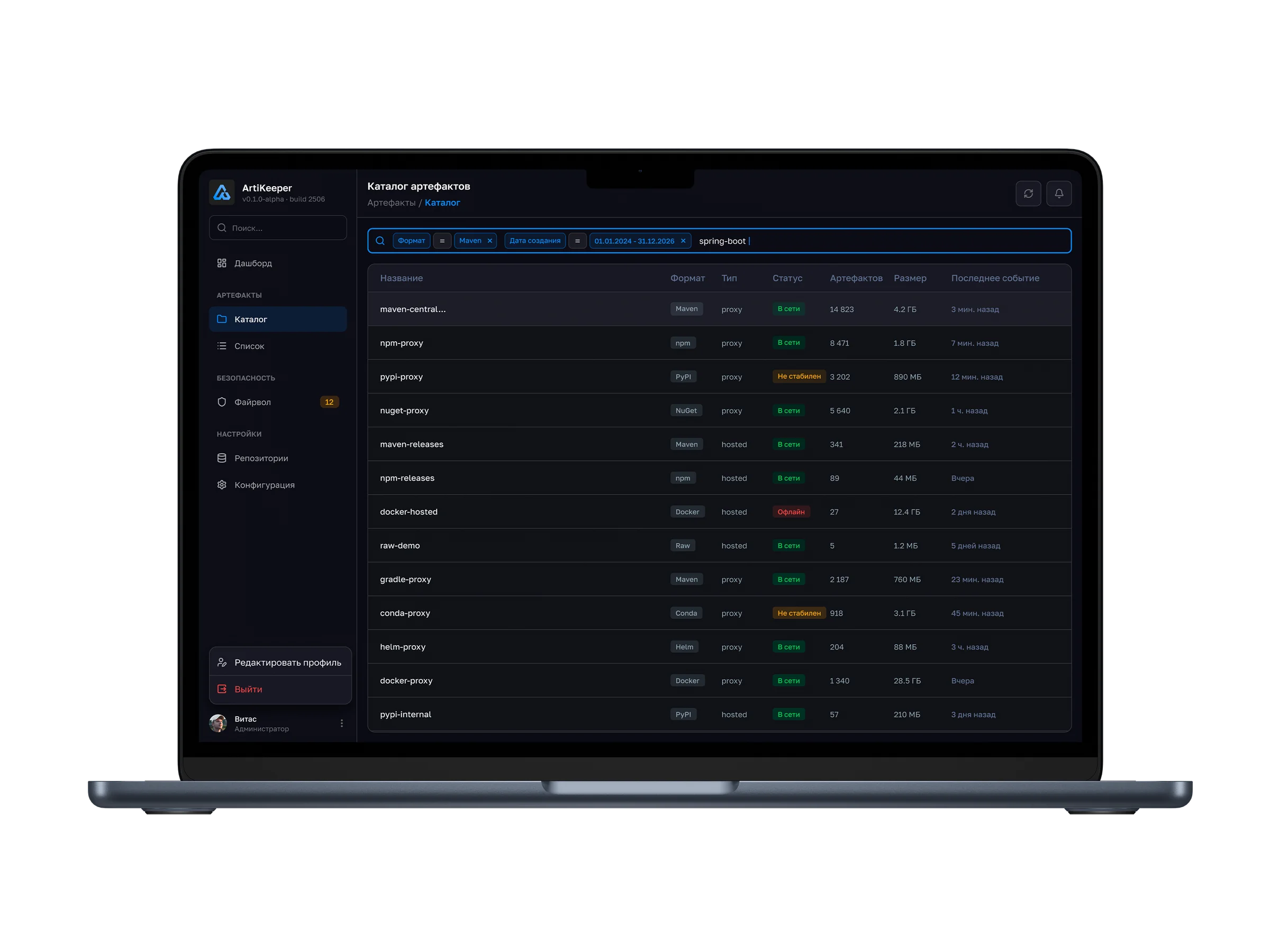
Repository search with conditions in a single field: the screen specifies the Maven format, creation period and spring-boot query. Results bring together repository type, status, artifact count, size and the time of the latest event.
Repository contents
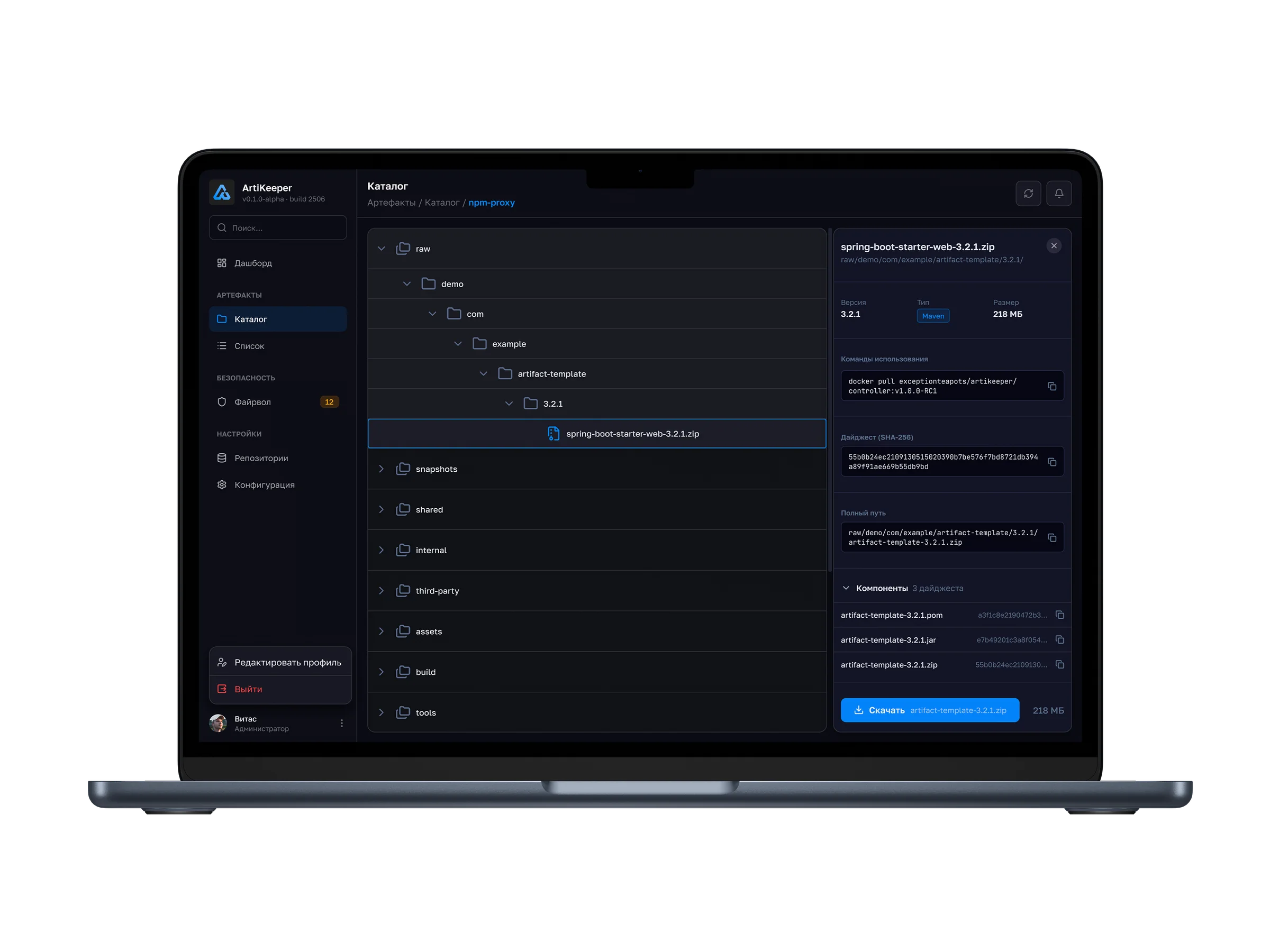
The tree shows the path to the selected file; the side panel displays its version, format and size. It also provides an upload command, SHA-256, full path, related components and a download action.
Artifact list
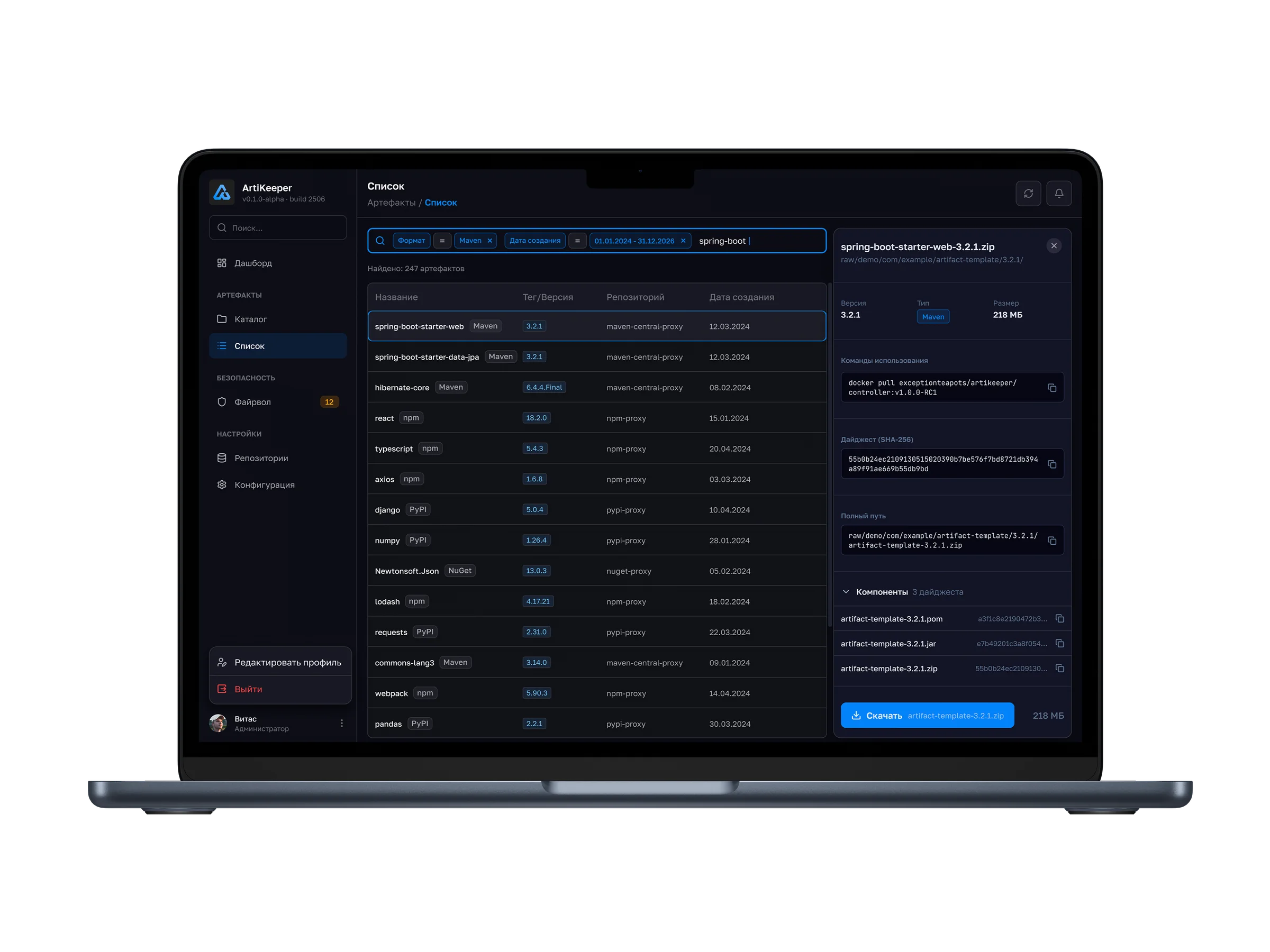
A separate screen shows the packages themselves: name, tag or version, repository and creation date. Filters and the result count help narrow the selection. Selecting a package opens the same details and actions.
Firewall
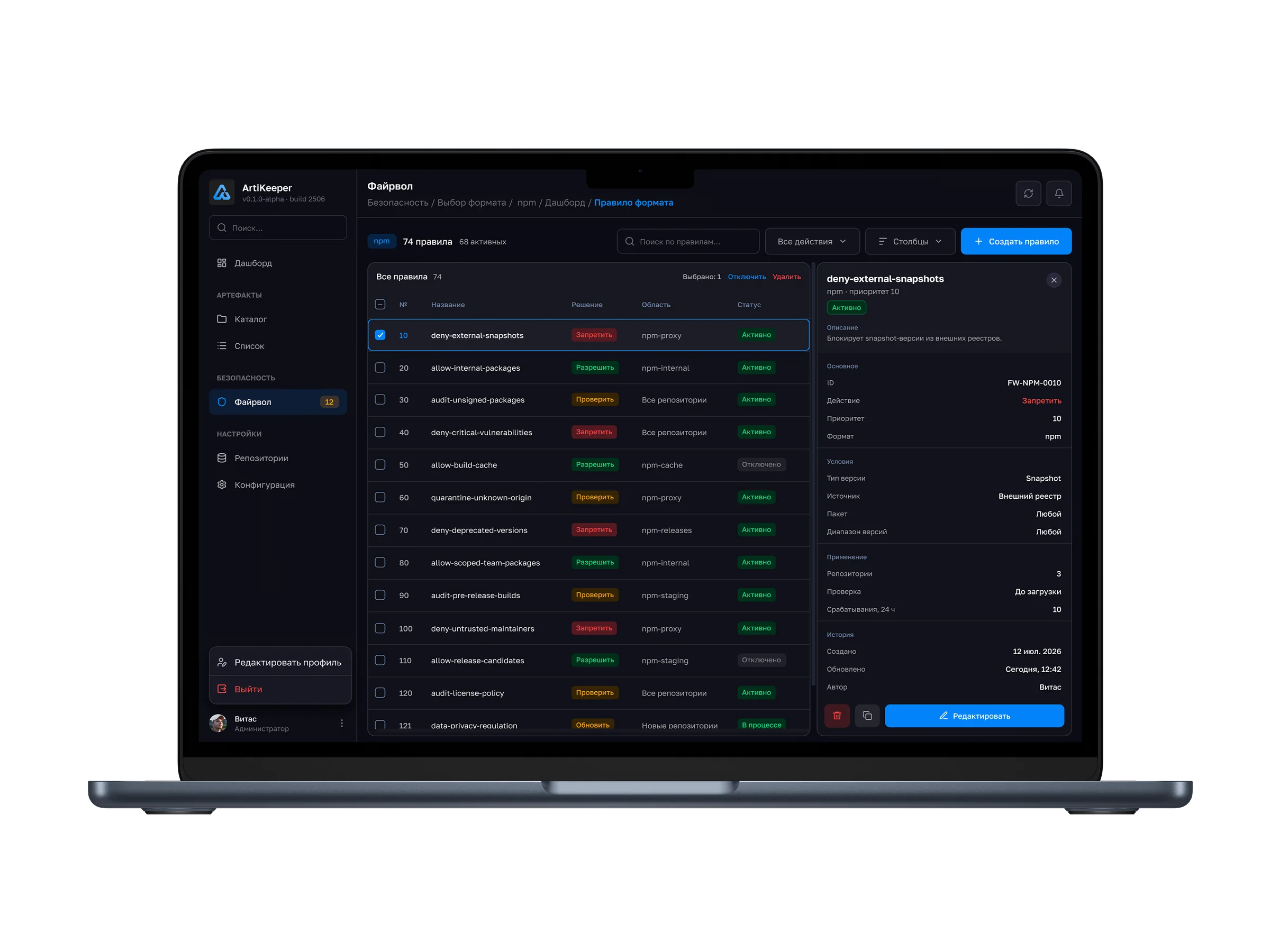
Rules can be searched, filtered by action and displayed using configurable table columns. The list shows the decision, scope and status. The panel on the right reveals conditions, priority, coverage, history and editing actions.
Create a repository
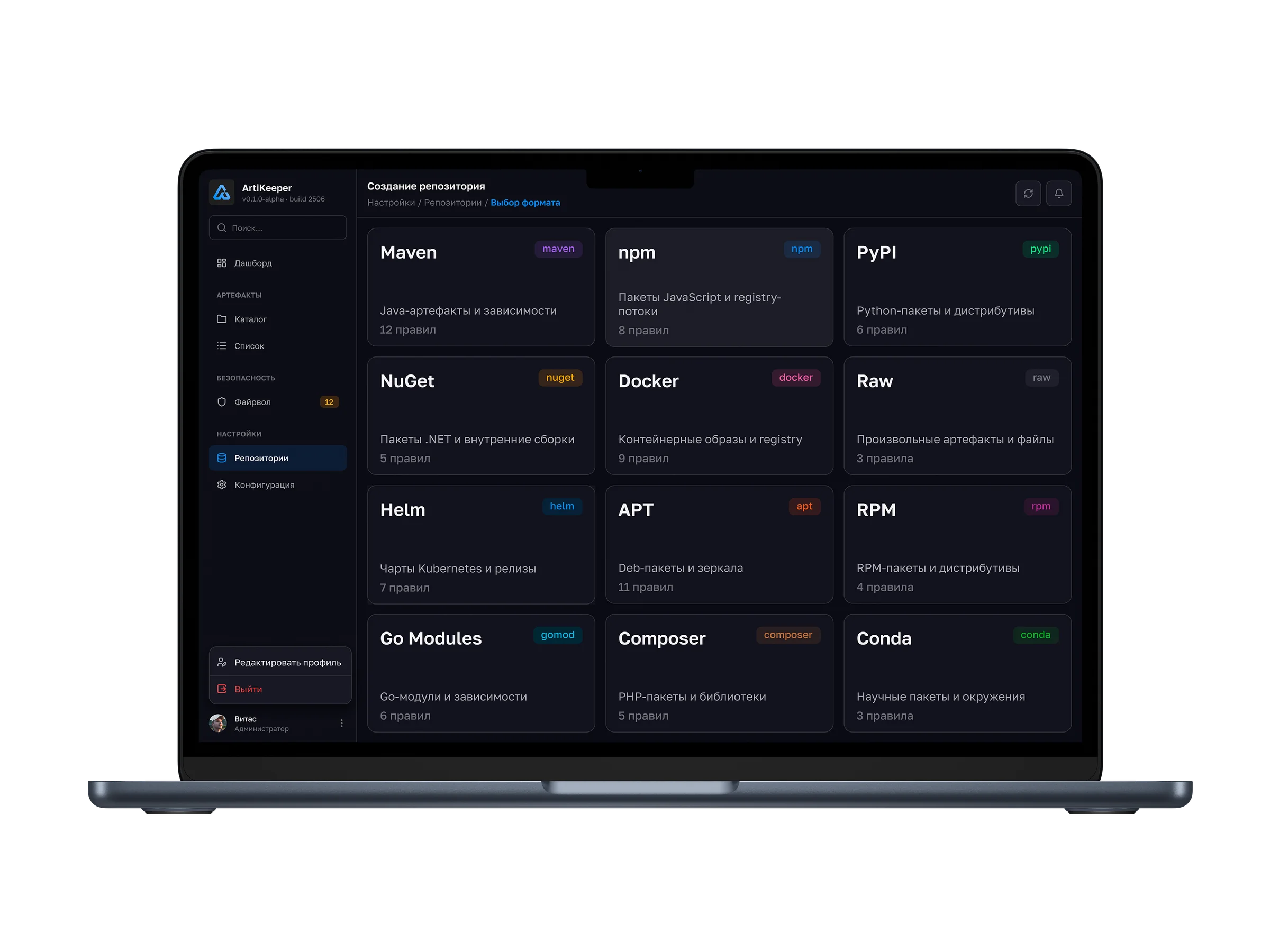
Before configuring a repository, users choose a format from the supported ecosystems: Maven, npm, PyPI, NuGet, Docker, Raw, Helm, APT, RPM, Go Modules, Composer or Conda. Cards explain each format and show the number of related rules.
Configuration
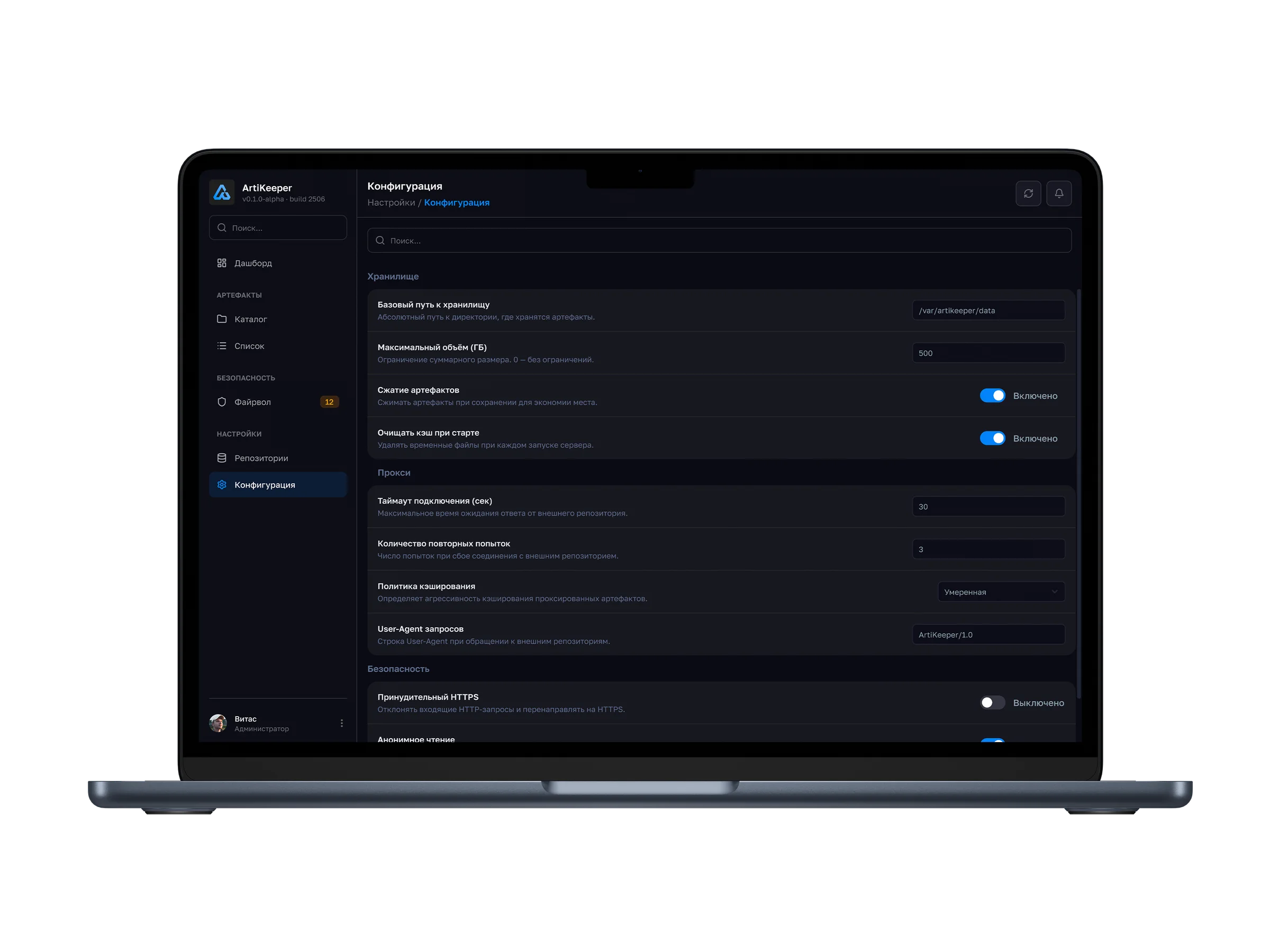
General settings are grouped by area: storage, proxy and security. Search helps users find a setting. Each setting includes a description and current value; switches control options such as compression and clearing the cache at startup.
Usability testing
I tested key workflows with the exception:teapots development team: uploading the first artifact, searching by version and configuring access for a new team member.
The repository structure was unclear
I added an onboarding step with structure templates to help users organize their repository.
Users did not discover metadata search
I put hints directly in the search field: filters are selected from a dropdown rather than guessed.
Case study in progress
This case study is still in progress. The MVP — Dashboard, Browse and Search — has been handed off to development, and the team is designing the API from the mockups. I am also preparing the portfolio case study.